Explainers
Keeping a character consistent across shots: why reference sheets beat prompts
To keep an AI anime character consistent, show the model the character instead of describing it: draw every shot from the same approved reference sheet. Animey passes each character’s approved six-view sheet, the location plate and the series style card to every keyframe as reference images, so the prompt only has to describe the pose, the expression and the camera.
By the Animey team6 min read
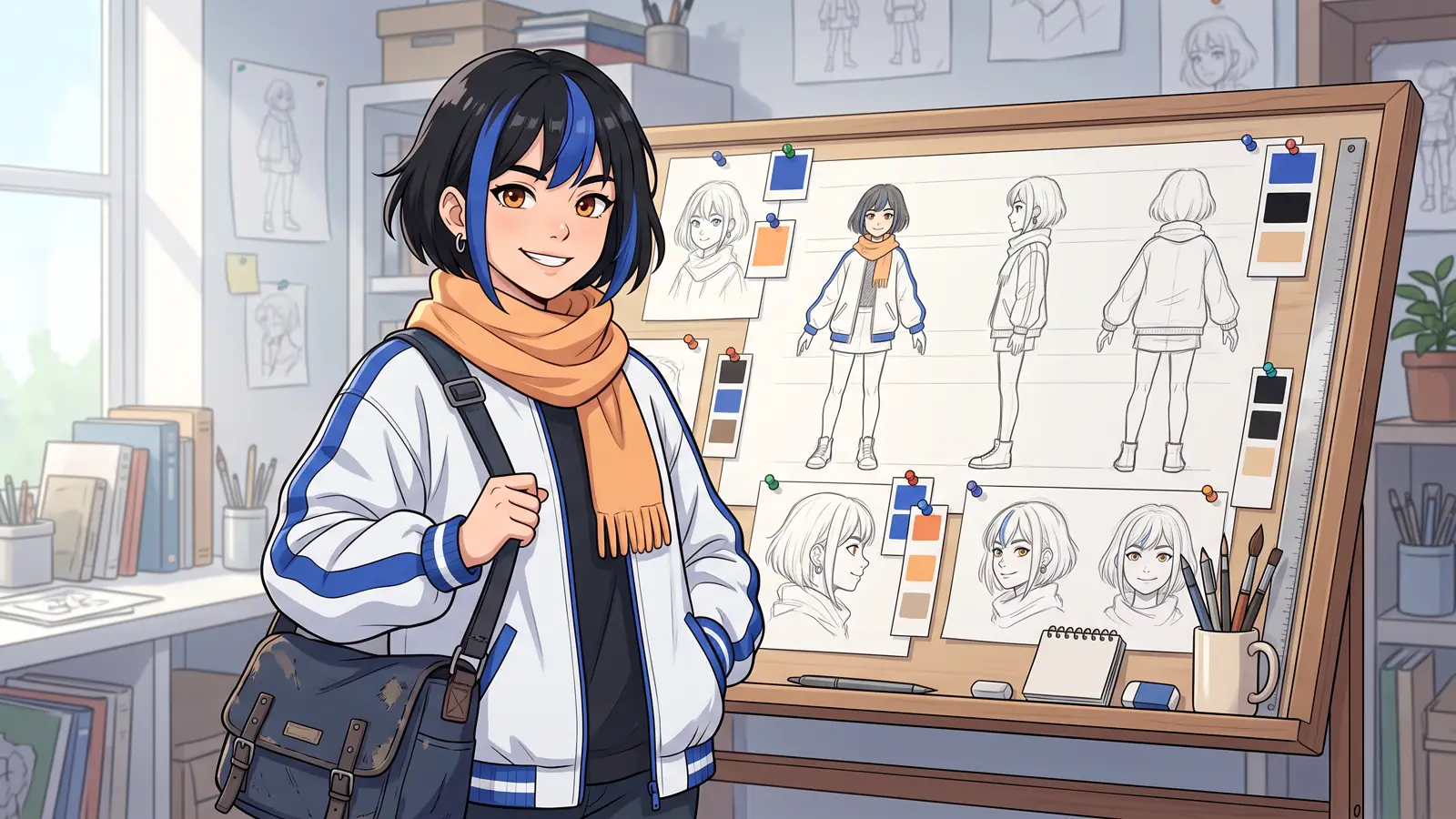
Consistency is the promise of an anime series: the same face, the same hair and the same jacket in the first scene and in episode ten. This explainer shows why a text prompt cannot keep that promise on its own, and how Animey, an AI anime studio by Softforge Digital, is designed to keep characters consistent by drawing every shot from approved images. It describes the product as of October 2026.
Why a prompt alone drifts
An image model turns words into a picture by choosing one of countless pictures that fit them. “Short silver hair, amber eyes, navy courier jacket, red scarf” fits thousands of different characters, and the model picks a new one each time: the fringe moves, the scarf changes its knot, the eyes change shape. More adjectives narrow the choice without ever fixing it, and every extra word competes with what the shot is actually about.
- Proportions drift first: head size, height and build.
- Then the details that carry identity: the hair parting, the eye shape, marks and scars.
- Then the costume: its layers, its colors and the signature prop.
- Even the drawing style shifts with the lighting of each scene.
What a reference sheet is
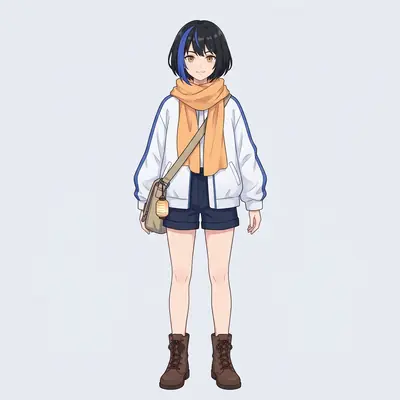
A reference sheet is the model sheet of traditional animation, adapted for image models: one character drawn from several angles in one style, so that every later drawing has something to copy instead of something to imagine. In Animey, a sheet is six images drawn in your series style, for 2 credits.
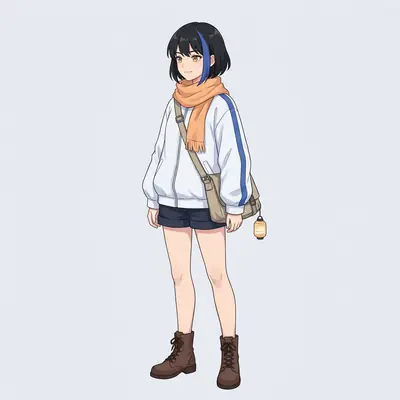
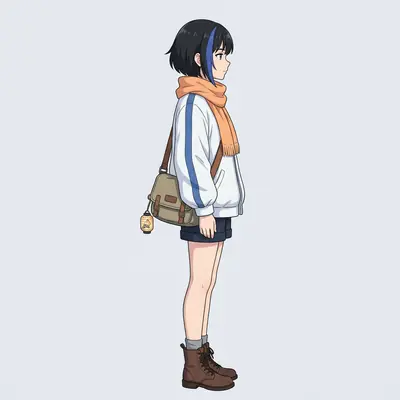
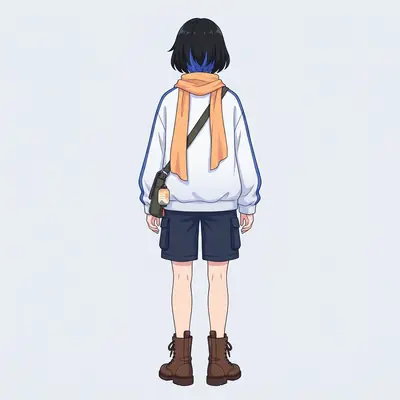
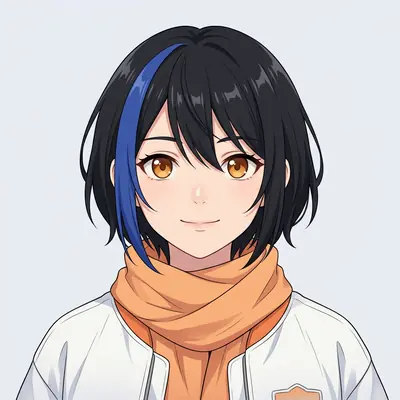
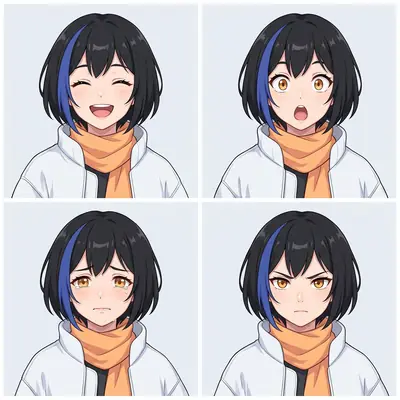
| View | What it pins down |
|---|---|
| Front | Face shape, costume layout and colors |
| Three-quarter | Volume of the face and hair |
| Side | Profile, nose, chin and hair length |
| Back | Hairstyle from behind and the back of the costume |
| Face close-up | Eyes, brows, mouth and small marks |
| Expressions grid | How the face changes with emotion |
The front view is drawn first, and every other view uses it as its identity reference, so the six images agree with each other. You can redraw a single view with a short direction such as “arms relaxed” or “show the scar”, free up to six times per character per day.
Approval locks the identity
When every view matches, you approve the sheet. Approval creates a version of the character, its bible and its six images, frozen. Every take records the version it was drawn from, so a later change to the character never alters a take that is already made. If you redesign the character, you draw and approve a new version, and every generation from then on uses it, a new take of an existing shot included, while the takes already made keep the old one.
The style card does the same for the look of the whole show. It is a sample frame in your art style, drawn once and approved, and sheets, location plates and keyframes all follow it. Change the style and Animey draws a new card; characters must then be approved again against it, so nothing switches style silently.
How a shot is drawn from the sheets
A shot starts as a keyframe, a still drawing of its opening moment. Animey sends the image model the location plate, the reference sheets of the characters in the shot and the style card, up to 16 reference images, with a prompt that says what each one is for: keep this place’s layout; keep this character’s face, hair, eyes, proportions, outfit and colors; match this style’s line weight and shading. The words of the prompt only describe what changes: composition, pose, expression and light.
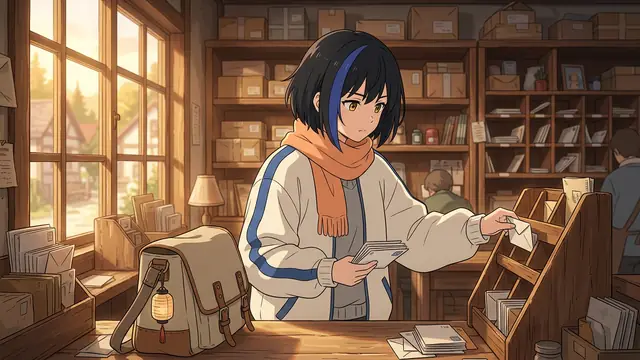


- The location plate and the style card take one slot each.
- The characters share the other slots: the front view and the face close-up first, then the three-quarter, side, expressions and back views.
- A shot can show up to eight characters, and the more it shows, the fewer views each one gets. Crowded shots should stay rare.
Then comes motion. At the Standard tier, the video model receives the keyframe as its exact first frame and a motion prompt that describes only movement and the camera; it is asked to keep the drawing, never to invent the look. At the Reference tier, the keyframe goes to the video model as a reference image rather than a fixed first frame, together with each character’s front view and face close-up and the voiced dialogue, which helps with several characters in one shot and with lips that follow the lines. Keyframes have no approval step of their own, so look at each one on the board before you animate it.
Habits that keep characters on model
- Write a precise visual description in the character bible (hair, eyes, build, outfit, colors, signature prop, marks) before drawing the sheet: the sheet is drawn from it.
- Approve only a sheet whose six views agree. A flaw in one view shows up in every shot that uses it.
- Use looks for a change of costume or age: a look is a four-image set (front, three-quarter, back and face) drawn from the approved version for 1 credit, so the new outfit keeps the same face.
- Give the close shots to one or two characters and keep crowd shots short.
- Check each keyframe before animating it: a keyframe redraw is free up to five times per shot per day, a new take is not.
Published after launch. We will measure this on real episodes and add the figure here, with its date.
Source: Animey usage data, first quarter after launch
What sheets do not solve
References make a character recognizable, not frozen. Fast motion, extreme angles and tiny figures in wide shots are where models improvise most, and a take can still add a hand or blur a pattern. That is why every generation is a take you can replace: redraw the keyframe, re-animate, or pick an older take, and keep the one that stays on model.
To see the whole process in order, follow the one-afternoon guide; for the look of the series itself, read anime art styles explained.
Questions this answers
- How do I keep an AI anime character consistent across shots?
- Draw every shot from the same approved images instead of a description. In Animey, each keyframe receives the character’s approved reference sheet, the location plate and the series style card, and at the Standard tier the video model starts from that keyframe.
- What is a character reference sheet?
- A set of drawings of one character from several angles in one style. An Animey sheet has six images, front, three-quarter, side and back views, a face close-up and a grid of expressions, and costs 2 credits.
- Can I change a character after approving it?
- Yes. Draw and approve a new version: every generation from then on uses it, including a new take of a shot you already made, while existing takes keep the version they were drawn from. For a new outfit or age, add a look instead, which keeps the same face.
- Why does a character still look different in some takes?
- Fast motion, extreme angles and very small figures are where video models improvise most. Redraw the keyframe for free, re-animate the shot, or select an earlier take that stayed on model.
Start your own series
Describe your world, cast your characters and plan your first episode, scene by scene.
Start free