Explainers
GPT Image 2.5 vs Seedream 5.0 vs Nano Banana: which AI image model keeps an anime character on model?
In our test, GPT Image 2.5 and Seedream 5.0 Pro both drew a new anime keyframe that kept the character, the place and the drawing style, while Nano Banana Pro kept the place but shrank the character and Nano Banana 2 changed her hair. Animey draws every scene keyframe with GPT Image 2.5 as an edit of approved references, because the keyframe is the exact first frame of the animation.
By the Animey team4 min read
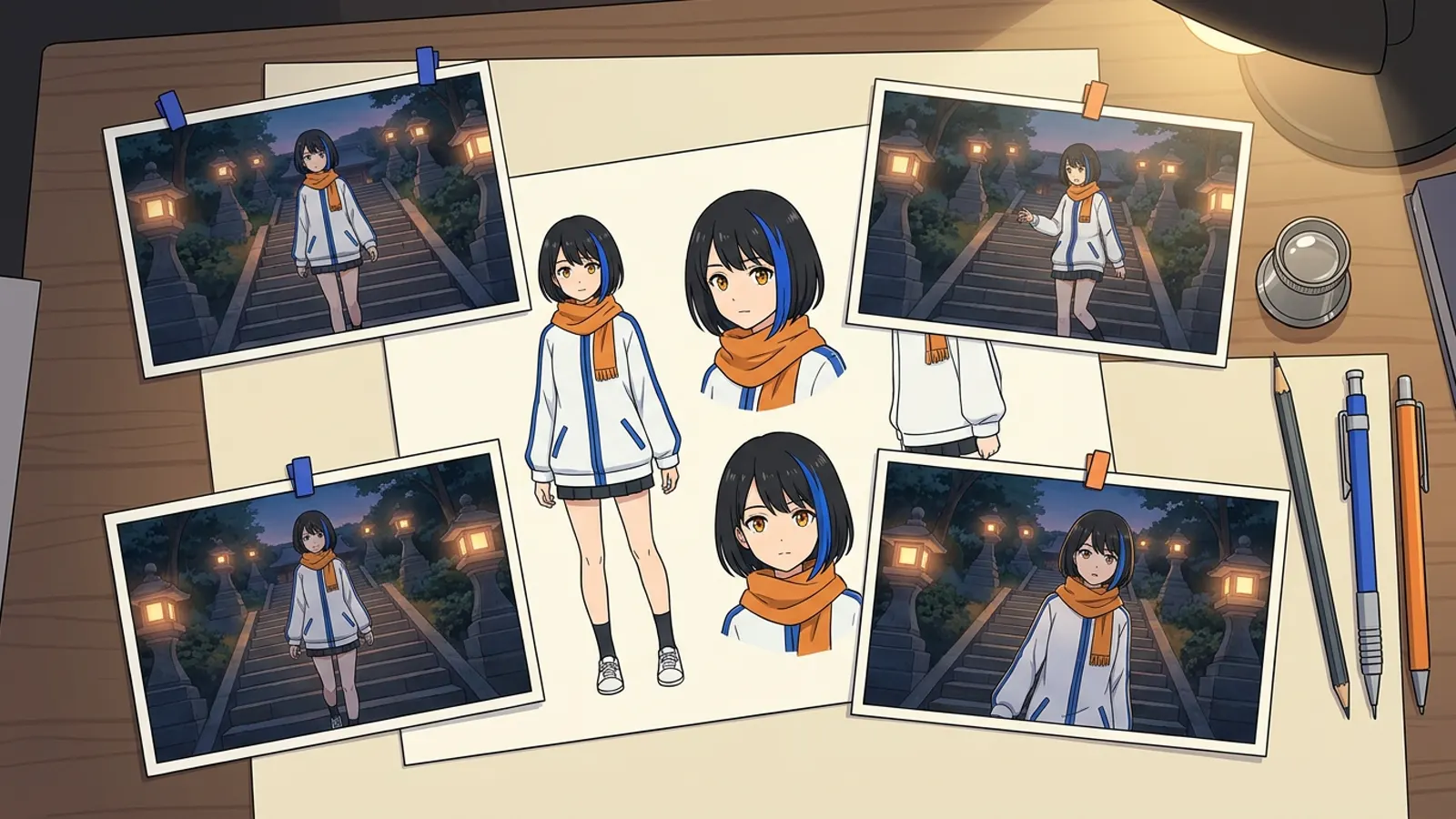
Before an AI anime shot moves, it is drawn. That first still, the keyframe, decides whether the character in shot twelve is the same person as in shot one, because the video model starts from it. This post shows how four popular image models handled the same keyframe brief, and how Animey, an AI anime studio by Softforge Digital, draws its keyframes as of October 2026.
The test: one brief, four models
Every model received the same four images and the same prompt. The first image was a location from Animey’s example series, a lantern-lit stairway above a harbor at dusk. The other three were views of Mira’s approved reference sheet: front, face and three-quarter. The prompt asked for a new composition: Mira sitting on a step, facing the camera, reading a letter, in the exact drawing style of the location.
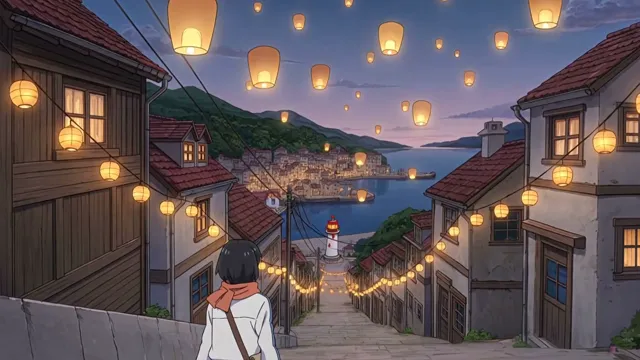
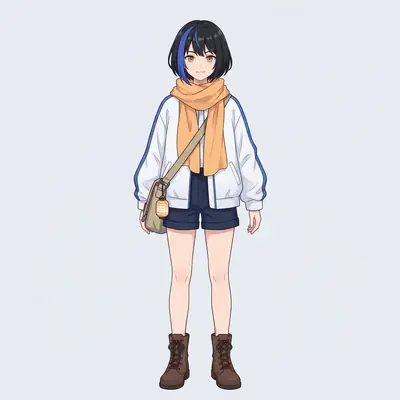
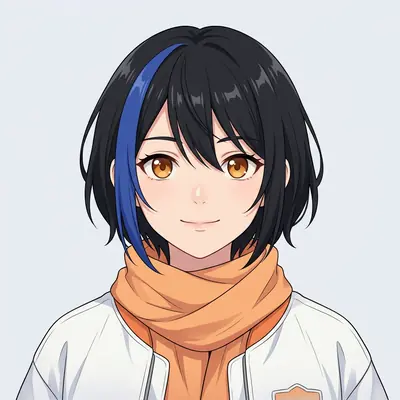
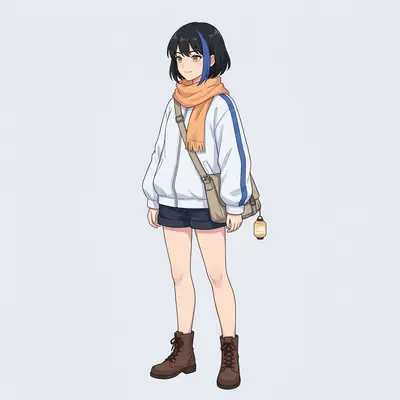
What each model drew
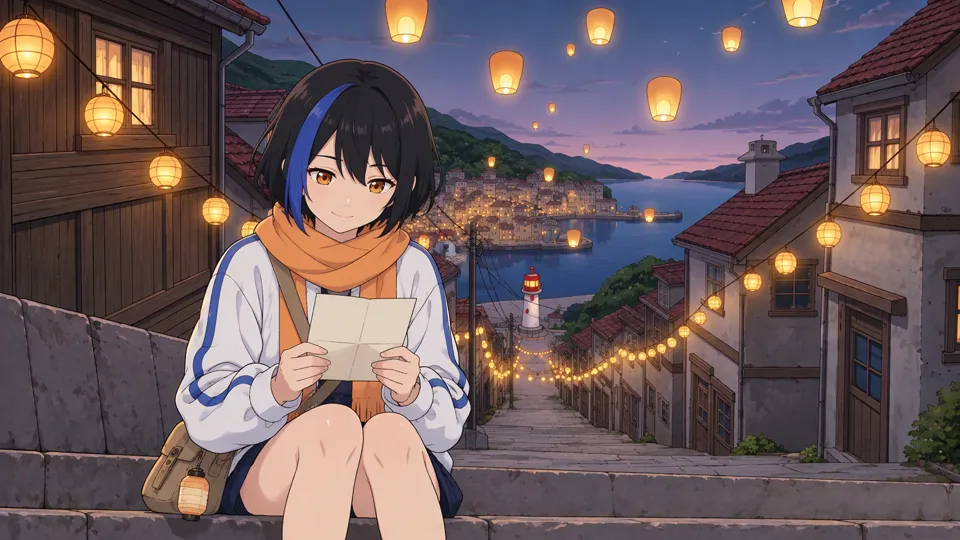
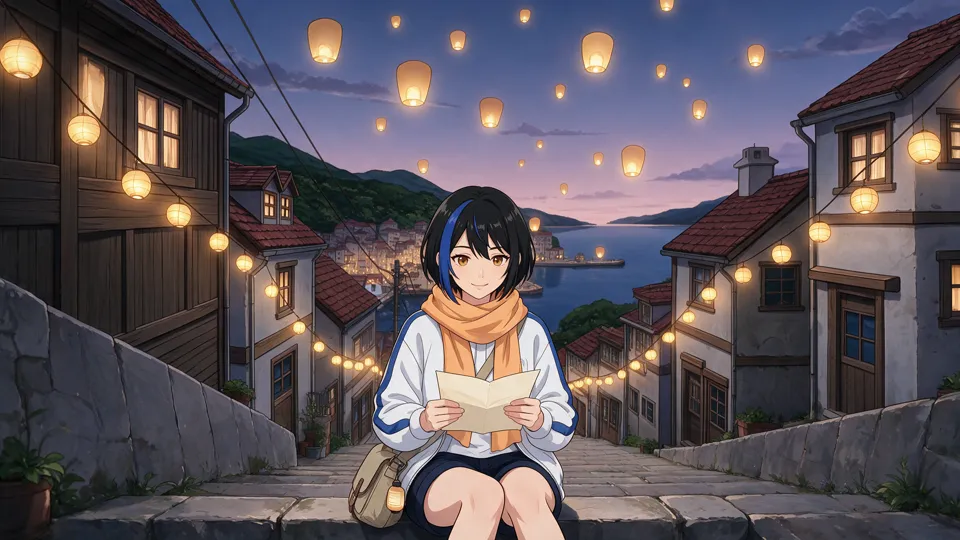
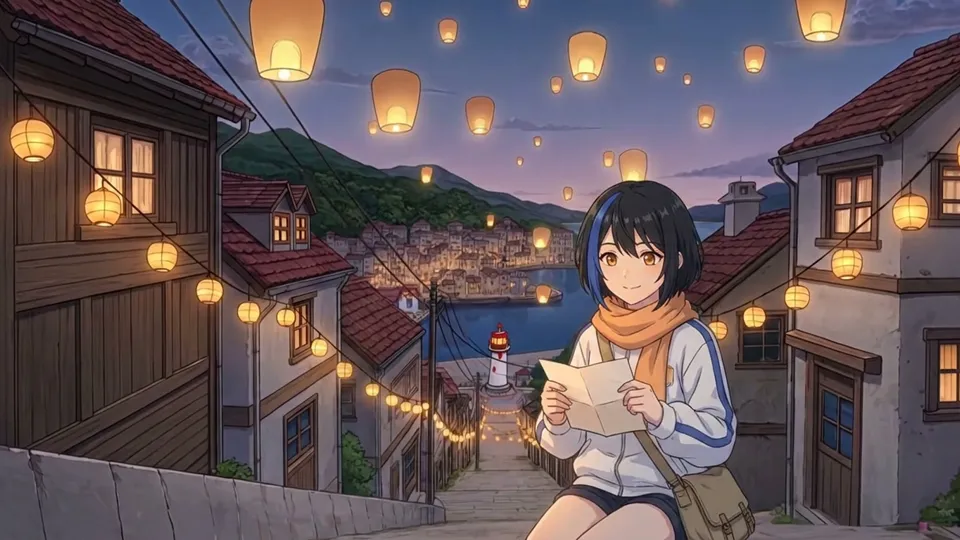
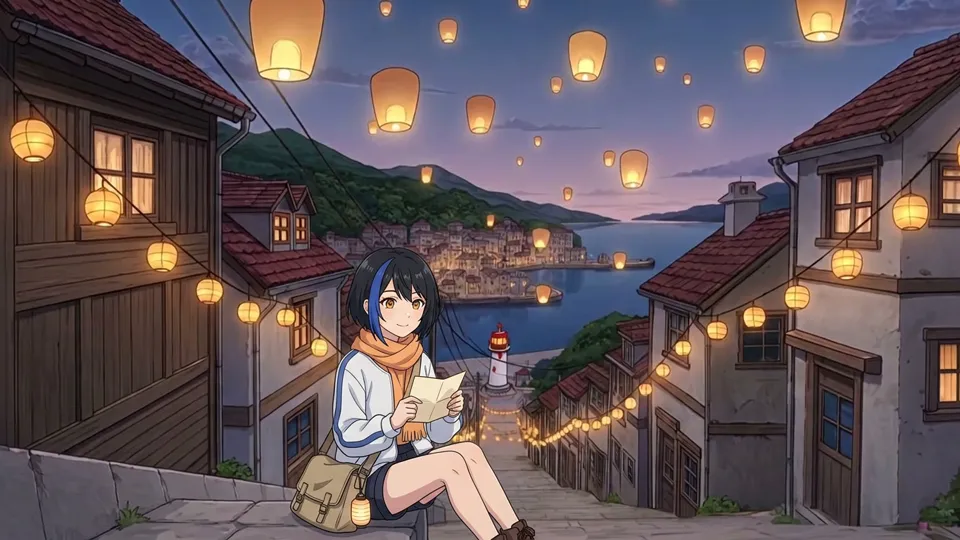
| Model | Character | Place and style | Composition |
|---|---|---|---|
| GPT Image 2.5 | Face, hair, eyes and outfit kept | Kept, redrawn around the new pose | Followed the prompt |
| Seedream 5.0 Pro | Kept | Kept most closely of all | Followed the prompt, centered |
| Nano Banana Pro | Kept, but small | Almost pixel-identical to the input | Character pushed to the edge and cropped |
| Nano Banana 2 | Hair changed from a short bob to long hair | Kept | Followed the prompt |
The two Nano Banana models read the first image as the picture to edit rather than as a reference, which is why the location survived so well and the new pose did not fit in it. GPT Image 2.5 and Seedream 5.0 Pro treated all four images as references and drew a new frame from them. One run per model is a small test, and the models are random, but the pattern matched what we see in daily use.
What happens without the images
To see what the references are worth, we gave a video model the same scene in words only: the character described in detail, the stairway, the lanterns, the line she says. No keyframe, no sheet.
How Animey draws a keyframe
- Each character in the shot contributes up to two views of its approved reference sheet, the front and the face, placed first.
- The location plate and the series style card follow, so the place and the look come from approved images too.
- GPT Image 2.5 draws the shot as an image-to-image edit of those references. The prompt keeps face, hair, eyes, proportions, outfit and accessories, and only describes the pose, the expression and the camera.
- You review the keyframe and approve it. Redrawing is free within a daily allowance, so a weak frame costs nothing.
- The approved keyframe becomes the exact first frame of the animation. If the cast, the place or the style changes afterwards, the approval is revoked and the frame must be drawn again.
We pinned scene keyframes to GPT Image 2.5 after it held identity best across our own edit tests, and there is deliberately no automatic fallback to another image model: a keyframe drawn by a different model would look different, and you would be approving a frame you never saw. Seedream 5.0 Pro is the model we watch most closely. The consistency explainer covers reference sheets in more depth.
Once the keyframe is approved it has to move. Our Kling 4.0 test animates one keyframe with five video models, and the lip-sync post shows how dialogue is added.
Questions this answers
- Which AI image model is best for consistent anime characters?
- In our October 2026 test, GPT Image 2.5 and Seedream 5.0 Pro kept the character, the place and the drawing style best when given a reference sheet and a location. Nano Banana Pro kept the place but drew the character small, and Nano Banana 2 changed her hair.
- Which image model does Animey use?
- Animey draws every scene keyframe with GPT Image 2.5, as an image-to-image edit of the approved character views, the location plate and the style card. There is no automatic fallback to another image model.
- Why not describe the character in the prompt instead?
- A description fixes a few traits and leaves the rest to chance, so each run draws someone slightly different. Reference images fix the face, hair, outfit and style, and the prompt only has to describe what changes.
- Do I have to approve every keyframe in Animey?
- Yes, in Standard episodes. You review the drawn keyframe and approve it before the shot is animated, and redrawing is free within a daily allowance.
Start your own series
Describe your world, cast your characters and plan your first episode, scene by scene.
Start free