Explainers
Text to anime video: how an AI anime generator works, and where it falls short
An AI anime generator turns a text prompt into a short clip by drawing it frame by frame from patterns it learned, so one prompt gives a good five seconds but a different character every time. To get a whole episode, you need a pipeline that draws every shot from approved images of the same characters, places and style, which is how Animey works.
By the Animey team5 min read
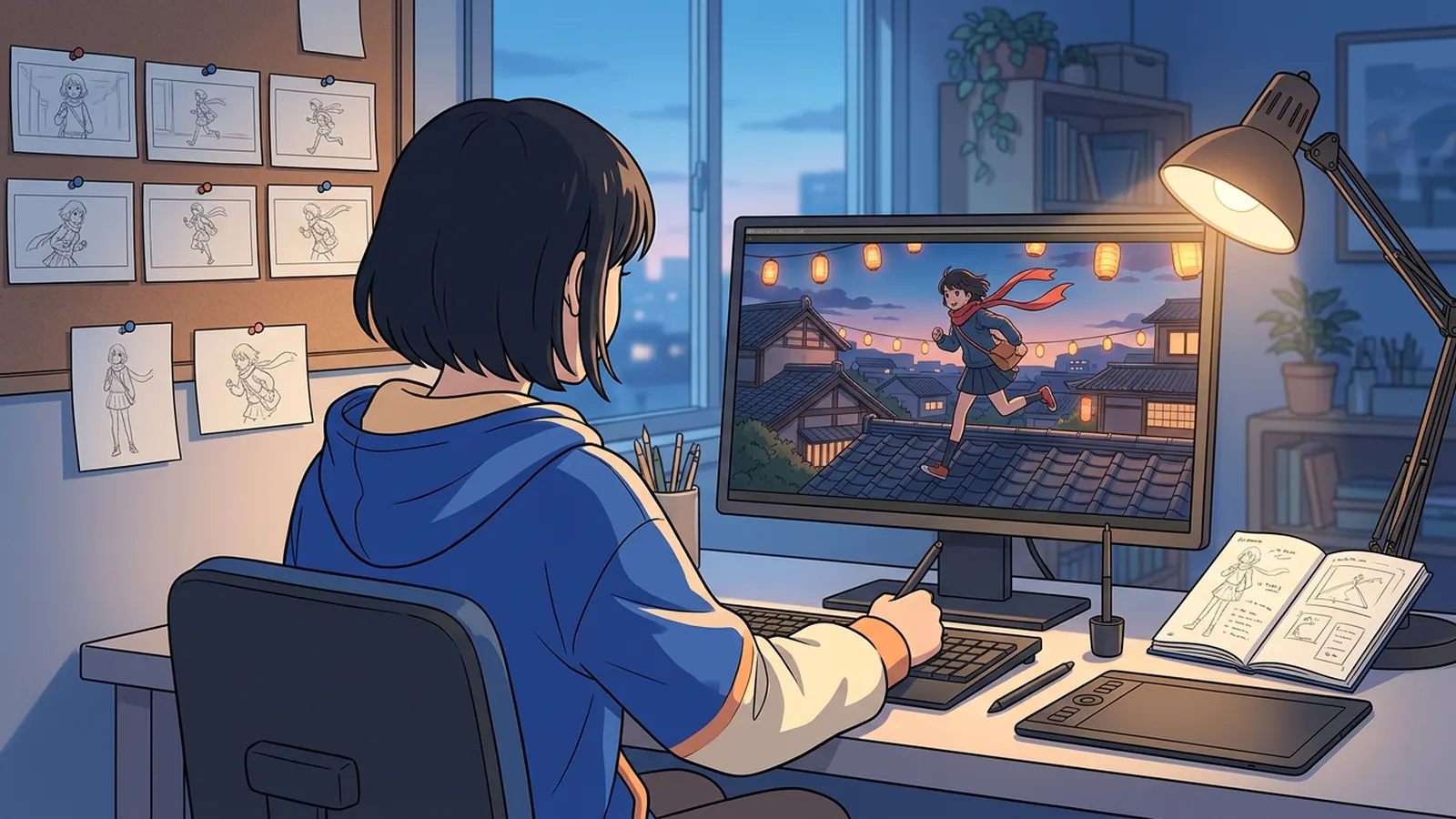
“AI anime generator” and “text to anime video” are some of the most searched phrases around anime and AI, and most tools behind them do the same thing: you type a sentence, you get a clip. This explainer shows what happens between the two, what a single prompt can and cannot do, and how Animey, an AI anime studio by Softforge Digital, turns many clips into one consistent episode. It describes the tools as of September 2026.
How a text-to-video model makes a clip
A video model starts from noise and removes it step by step until frames appear that match your words, guided by everything it saw in training. It does not look anything up: it invents a plausible picture of “a courier girl running across rooftops” and keeps the frames coherent with each other for a few seconds. Most models make clips of 5 to 15 seconds, at 720p or 1080p, in landscape or portrait.
For one shot, the result can be impressive: the motion is fluid, the light is right, the scarf moves in the wind. The problem appears with the second shot.
Same prompt, different character
We sent the same image prompt three times, word for word: “a teenage courier girl with short silver hair, amber eyes, navy courier jacket and red scarf, standing on a rooftop at dusk with paper lanterns behind her”. Only the random seed changed.
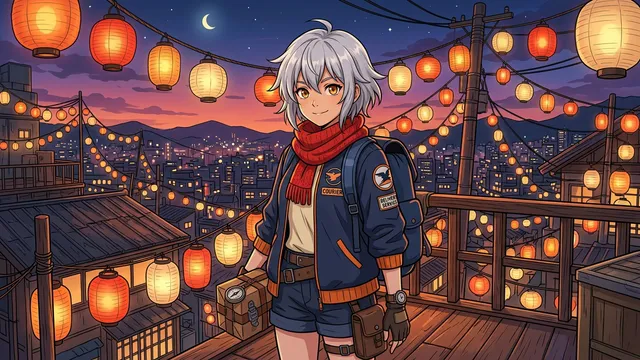
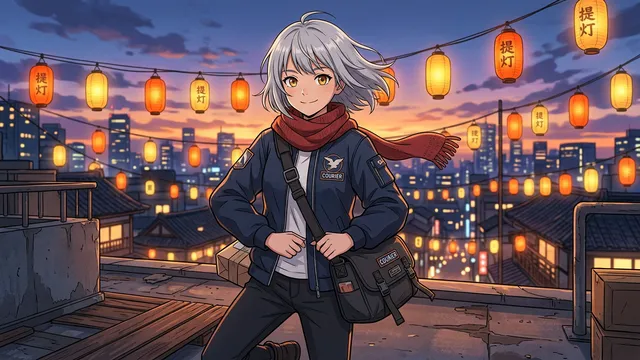
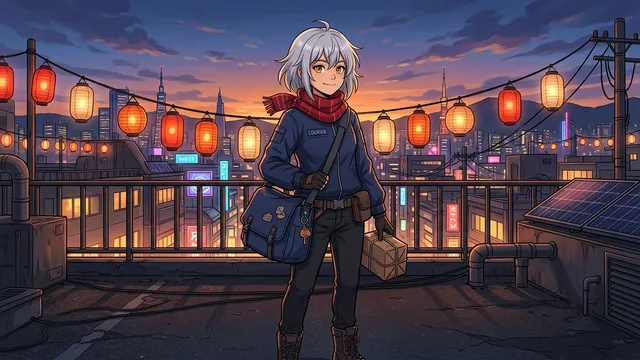
Every picture matches the prompt, and none of them is the same character. The words fix a few traits, and the model fills in everything else differently each time: the cut of the jacket, shorts or trousers, a backpack or a shoulder bag, the shape of the face. In a single clip nobody notices. In an episode of twelve shots, the audience sees twelve different couriers.
What a prompt alone cannot do
| Need | Single prompt | Animey |
|---|---|---|
| Same face and outfit in every shot | Changes on every run | Every shot drawn from the approved reference sheet |
| Same place across a scene | Redrawn from words each time | Drawn against approved location plates |
| One art style for the series | Drifts with each prompt | Fixed by an approved style card |
| Dialogue in the character’s voice | Rare, and a new voice each time | One chosen voice per character and language |
| A finished episode | Clips to edit by hand | Rendered MP4 with subtitles |
None of this is a flaw of any one model. A video model makes one clip at a time and does not remember the last one. Continuity has to come from outside the model, from images it is shown every time it draws.
How a studio pipeline keeps an episode on model
Animation studios solved this long before AI with the model sheet: drawings of each character from several angles that every artist copies. Animey applies the same idea to image and video models, in this order:
- The series gets a style card, a sample frame in one of eight art styles, that you approve once.
- Each character gets a six-view reference sheet (front, three-quarter, side, back, face and expressions) for 2 credits, drawn in that style. You approve it when every view matches.
- Each location gets plates, a wide establishing view and two angles, for 1 credit per set.
- Every shot gets a keyframe: a still of its first moment, drawn from the sheets of its cast, the location plate and the style card, up to 16 reference images. The prompt only describes the pose, the expression and the camera.
- At the Standard tier, the video model starts from that keyframe and adds movement. The look comes from the drawing, not from the words.
Because the keyframe is a picture, you can check it before you pay for motion: keyframe drawings are free, up to five per shot per day, and a Standard shot of five seconds, keyframe, voiced lines and animation, costs 1 credit. The consistency explainer goes deeper into reference sheets.
Published after launch. We will measure this on real episodes and add the figure here, with its date.
Source: Animey usage data, first quarter after launch
Choosing an AI anime generator
The right tool depends on what you want to make. Ask these questions before you choose:
- One clip or a series? For a single striking clip, any good text-to-video model will do. For episodes, look for reference sheets and approval steps.
- Can you check a still before paying for motion? Animation costs far more than a drawing.
- Who speaks? Look for voices you choose per character and per language, and subtitles in more than one language.
- What may you create? Original characters are safe ground; Animey refuses real people and existing franchises, as the copyright guide explains.
- What do you get at the end? A rendered episode with subtitles, or a folder of clips to assemble yourself.
To try the whole pipeline on a one-minute episode, follow the one-afternoon guide, or create a free account and start with the 10 trial credits.
Questions this answers
- What is the best AI anime generator?
- It depends on the goal. A general text-to-video model is enough for one clip; for a series with the same characters in every shot, use a tool that draws every shot from approved reference sheets, location plates and a style card, as Animey does.
- Can AI turn text into an anime video?
- Yes. A text-to-video model turns a prompt into a clip of about 5 to 15 seconds. A full episode needs many clips that agree with each other, which takes reference images, a script and an editor or a studio pipeline.
- Why does my AI anime character look different in every clip?
- Because a prompt only fixes a few traits and the model invents the rest on every run. Showing the model the same approved images of the character every time, a reference sheet, keeps the face and outfit stable.
- How much does it cost to make an anime video with Animey?
- A Standard shot of five seconds costs 1 credit, its keyframe, voiced lines and animation included, and a one-minute episode costs from 17 credits with two characters and one location. Rendering and subtitles are free.
Start your own series
Describe your world, cast your characters and plan your first episode, scene by scene.
Start free